Commands
Select a command from the left to view details and sub-tabs.
Change Configuration to Notilus Steeler from settings. ndSettings.
Start by creating a new project with ndCreateProject.
Add a drawing system (e.g., structure, piping, interior) by clicking Add Drawing System from the Library Manager ndLibraryManager. Saved scenes/sections will be stored under the selected system.
Register drawing types for layouts via ndAddDrawingType (used when creating title-block layouts).
Select your project with ndSelectProject and choose the active section system with ndSelectSectionSystem.
Generate sections as needed with ndGetAllSections and ndGetPartSections. (By default, sections are saved on the local drive, e.g., D:\Sec.)
Store scene definitions (clipping planes) using ndSaveScene if you need additional views.
Create 2D drawings from saved scenes using ndMake2dAuto. Remember: scenes are saved under the active system (ndSelectSectionSystem).
Open a new file for composition, then insert saved sections/views using ndInsertSections.
Label Steeler parts with ndSetPartInfo.
Produce title-block layouts via ndCreateLayout.
Modifica la configurazione in Notilus Steeler dalle impostazioni. ndSettings.
Avvia creando un nuovo progetto con ndCreateProject.
Aggiungi un sistema di disegno (es. structure, piping, interior) con ndAddDrawingSystem. Le scene e le sezioni salvate saranno archiviate nel sistema selezionato.
Registra i tipi di disegno per i layout tramite ndAddDrawingType (usati nella creazione dei layout con cartiglio).
Seleziona il progetto con ndSelectProject e imposta il sistema sezioni attivo con ndSelectSectionSystem.
Memorizza le definizioni delle scene (piani di taglio) con ndSaveScene.
Genera le sezioni con ndGetAllSections e ndGetPartSections. (Per impostazione predefinita, le sezioni sono salvate nel disco locale, ad es. D:\Sec.)
Crea i 2D dalle scene salvate con ndMake2dAuto. Nota: le scene vengono salvate nel sistema attivo (ndSelectSectionSystem).
Apri un nuovo file per il montaggio e inserisci sezioni/viste salvate con ndInsertSections.
Etichetta le parti Steeler con ndSetPartInfo e aggiungi quote automatiche per Piping tramite ndDimAuto.
Genera layout con cartiglio usando ndCreateLayout.
Change Configuration to Notilus Piping from settings. ndSettings.
Start by creating a new project with ndCreateProject.
Add a drawing system (e.g., structure, piping, interior) using ndAddDrawingSystem. Saved scenes/sections will be stored under the selected system.
Register drawing types for layouts via ndAddDrawingType (used when creating title-block layouts).
Select your project with ndSelectProject and choose the active section system with ndSelectSectionSystem.
Store scene definitions (clipping planes) using ndSaveScene.
Generate sections as needed with ndGetAllSections and ndGetPartSections. (By default, sections are saved on the local drive, e.g., D:\Sec.)
Create 2D drawings from saved scenes using ndMake2dAuto. Remember: scenes are saved under the active system (ndSelectSectionSystem).
Open a new file for composition, then insert saved sections/views using ndInsertSections.
Label Steeler parts with ndSetPartInfo and add automatic dimensions for Piping with ndDimAuto.
Produce title-block layouts via ndCreateLayout.
Avvia creando un nuovo progetto con ndCreateProject.
Aggiungi un sistema di disegno (es. structure, piping, interior) con ndAddDrawingSystem. Le scene e le sezioni salvate saranno archiviate nel sistema selezionato.
Registra i tipi di disegno per i layout tramite ndAddDrawingType (usati nella creazione dei layout con cartiglio).
Seleziona il progetto con ndSelectProject e imposta il sistema sezioni attivo con ndSelectSectionSystem.
Memorizza le definizioni delle scene (piani di taglio) con ndSaveScene.
Genera le sezioni con ndGetAllSections e ndGetPartSections. (Per impostazione predefinita, le sezioni sono salvate nel disco locale, ad es. D:\Sec.)
Crea i 2D dalle scene salvate con ndMake2dAuto. Nota: le scene vengono salvate nel sistema attivo (ndSelectSectionSystem).
Apri un nuovo file per il montaggio e inserisci sezioni/viste salvate con ndInsertSections.
Etichetta le parti Steeler con ndSetPartInfo e aggiungi quote automatiche per Piping tramite ndDimAuto.
Genera layout con cartiglio usando ndCreateLayout.
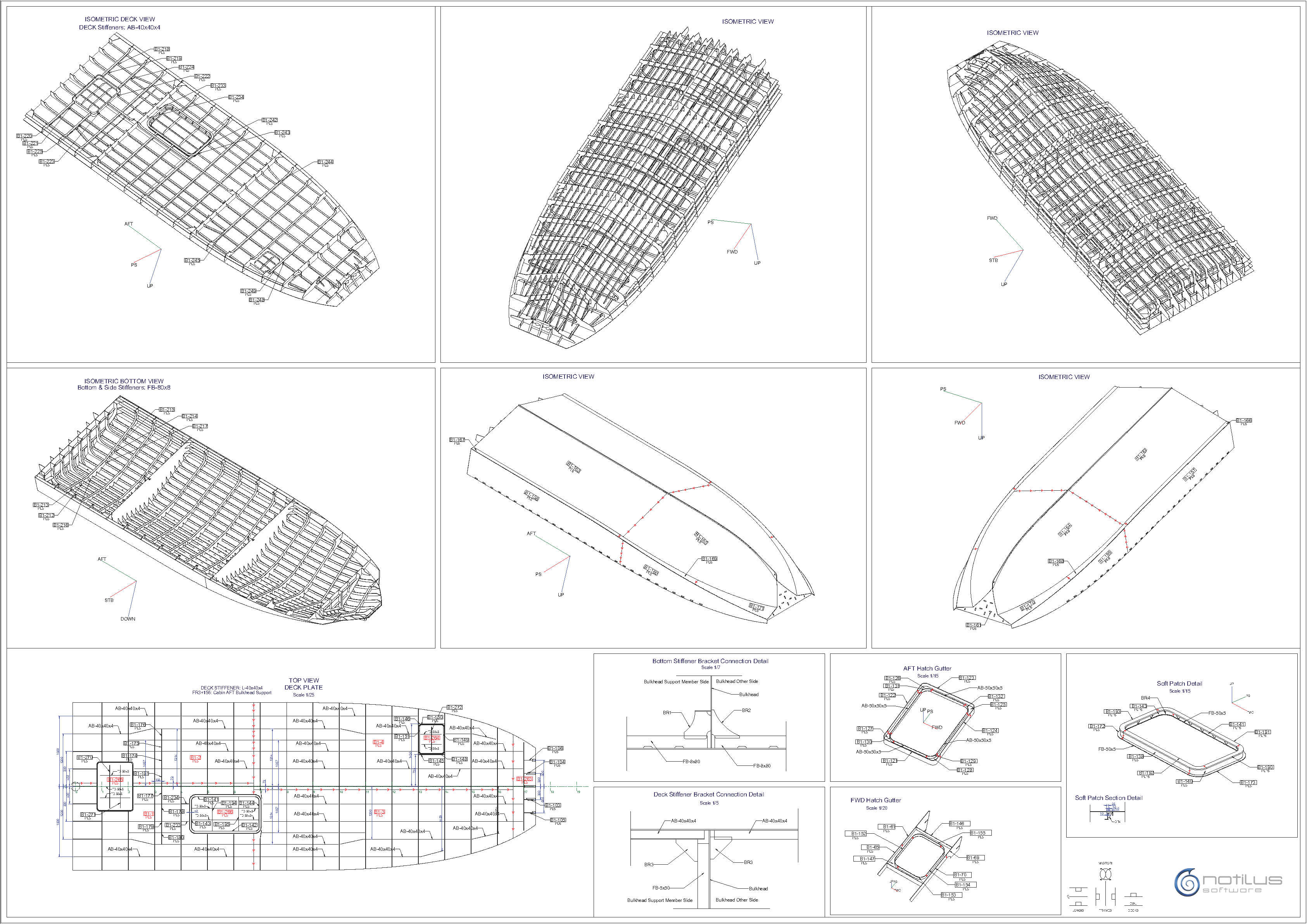
Structural WorkShop Drawings:
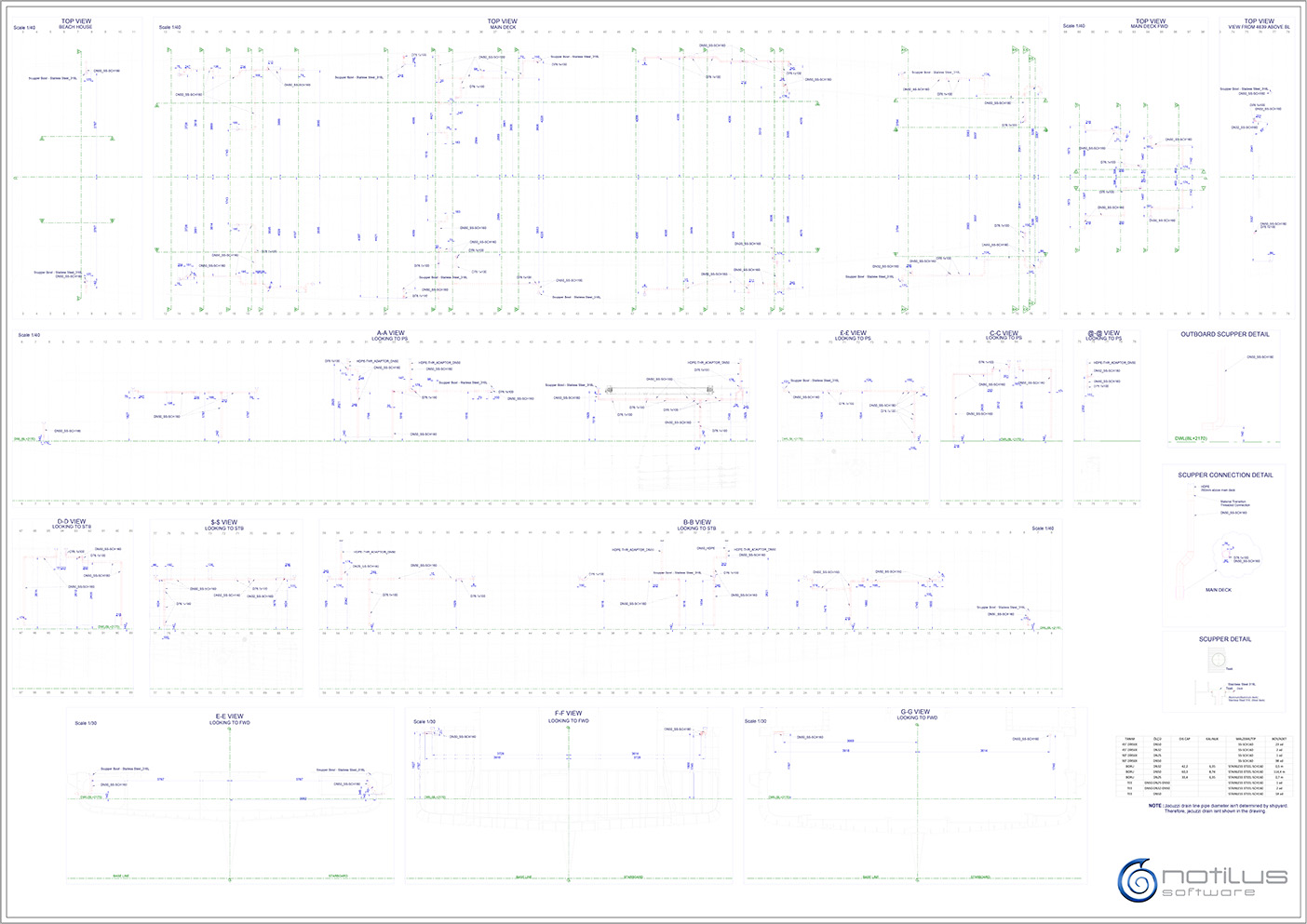
Piping WorkShop Drawings:
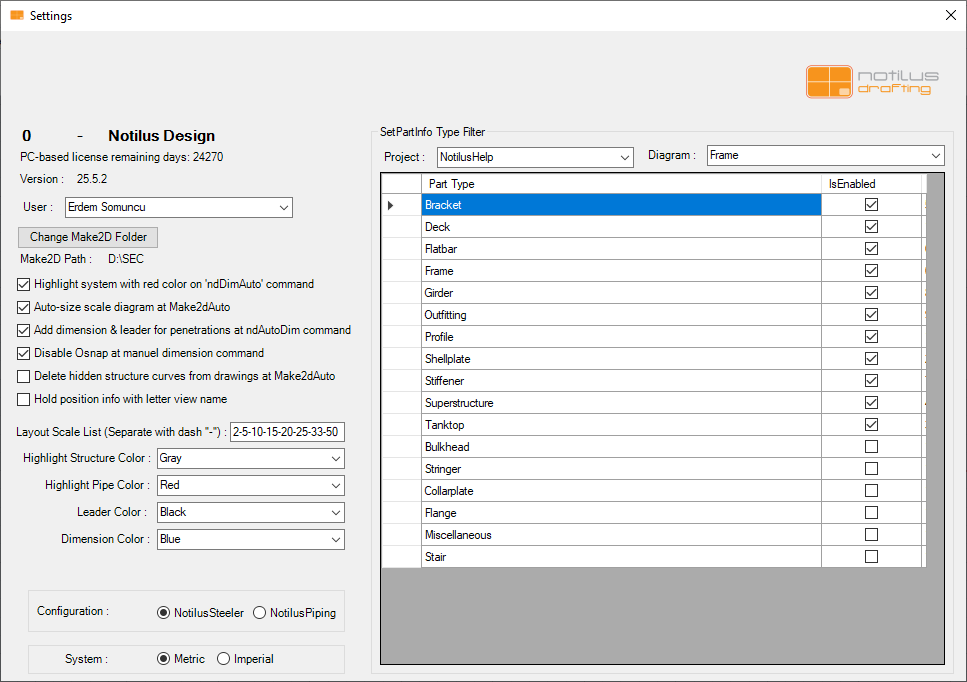
Opens the configuration panel for Notilus Drafting. This section defines project paths, drawing templates, layer styles, and automation options used across your drawing workflows.
Change configuration to Notilus Drafting from settings. ndSettings.
Apre il pannello di configurazione per Notilus Drafting. Questa sezione definisce i percorsi di progetto, i modelli di disegno, gli stili dei layer e le opzioni di automazione utilizzate nei flussi di lavoro di disegno.
Cambia la configurazione in Notilus Drafting dalle impostazioni. ndSettings.
Notilus Drafting